Yes, you were waiting for it, the latest Wano update is here, packed with improvements 😉 So, what can you expect in this brand new version? Got any idea? Yes? No? Over there in the corner, by the radiator?
OFFLINE Mode
Yep, now you can check out your collections without being connected to the internet—under one condition though: that you’ve logged in at least once recently.
–But Jeff, how does this devilry work?
–Well, it’s not complicated, let me explain. You see this bottle of milk?

Okay, totally unrelated… BUT here’s how it works: When you connect to the internet, the app creates a smaller, local image on your phone so you can access the essential details of your collection without needing a constant connection.
–But Jeff, what can I actually access then?
-Simple, you can browse your collections, see what you’ve got, check out your game or item pages to see their condition, view the first photo, get the title of your game… Basically, everything you need to navigate the murky world of flea markets. 🙂
-That’s cool!
-Yeah, if I’d had this tool during the 2024 campaign against scalpers, the Battle of the “Holy Cartridge” would’ve been won without casualties… Snif…

–BUT Jeff, can I add games, move them, copy them while OFFLINE?
–Nope, sorry, that’s not possible… I’m not saying it’ll never happen, BUT for now, offline mode only allows viewing, not modifying your database.

–That’s lame, seriously…
-Well, sorry… really, we’re doing the best we can, haha. But it’s still pretty good, right? C’mon, high five!!

Collection Counters
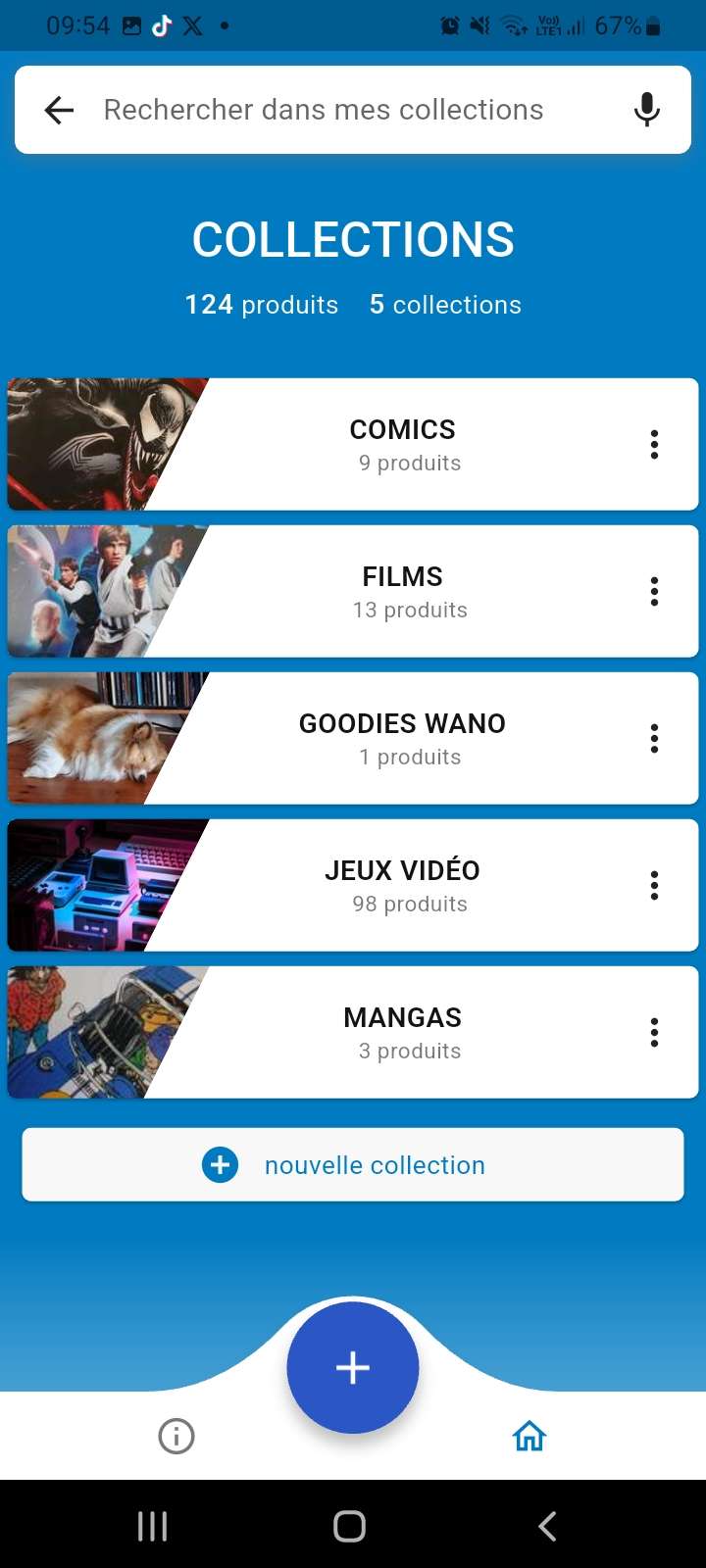
And that’s not all, my little pumpkin! We’ve added a small counter under each collection, so you can see the number of items in it without even entering—perfect for a quick overview 😉
This feature was actually requested during the last Things Past event by Double Impact, as well as at the Japan Games Festival by Rétro Polo. So here it is:
And That’s Not All! New Buttons!
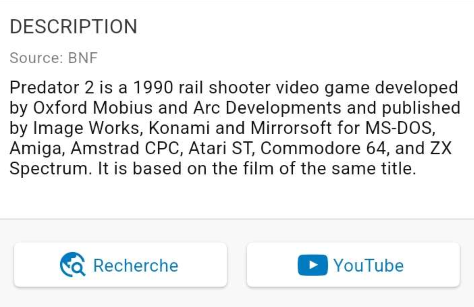
Yep, two to be exact: The first one on the left, “Search,” lets you do an instant Google search—perfect for getting info on a game you don’t know 😉
The second button, on the right, “YouTube,” does a direct search on YouTube: That way, you can watch gameplay footage, movie clips, etc. No more bad surprises when investing in a game, movie, comic, manga, etc…
Man, that’s a ton of stuff added, huh? And you think we’ve stopped there? Huh?
PFOUAHAHAHAHAHAHAHA
AHAHAHAHAHAAHAH
AHAHAHAAHAH
Yeah… we stopped there… for now! But big things are coming, and a new section will appear! But that’s another story…
crédits photo : Fotis Fotopoulos / unsplash